





How do I generate images in ChatGPT with Nano Banana, FLUX or Seedream?
Connect Vercanto to ChatGPT as a connector, then name the model in your request. ChatGPT calls generate_image on that model and shows the result in the chat. One image costs 12 credits ($0.12) on Nano Banana 2, the default, and 1 credit ($0.01) on FLUX Schnell, the cheapest.
A real example
Steps
- In ChatGPT, open Settings, then Apps and connectors, and turn on developer mode. Create a connector with the server URL https://vercanto.com/mcp, choose OAuth and sign in to Vercanto.
- Turn the connector on in the chat and describe the picture: subject, light, framing and shape, for example 16:9.
- Name the model if you want a certain one. To choose by eye, ask ChatGPT to compare two to four models on the same prompt.
- Ask for up to four variants of the one you like, or for a larger size: several models render 2K and 4K.
- Open the links ChatGPT returns. Every image is also saved in your Vercanto library.
Menu names change between app versions. Look for connectors, apps, integrations or MCP servers.
What to type
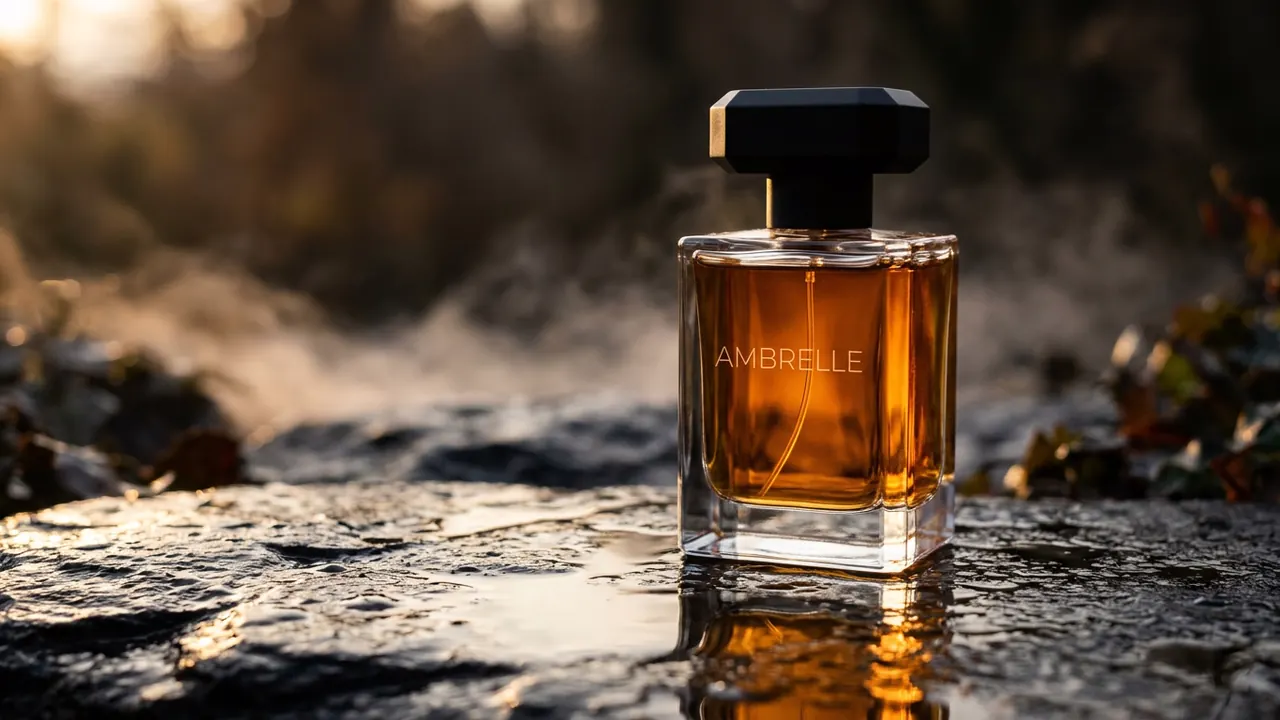
Use Nano Banana 2 for a 16:9 perfume ad photo: an amber glass bottle on wet black stone, low golden-hour light, light mist. Then run the same prompt on Seedream 5.5 and FLUX Schnell and show me all three.
Updated
Without an assistant: on the site
You can do the same without ChatGPT: open the Nano Banana 2 page on Vercanto. Its composer has a box for your request, slots for your files and the price of your settings; press Generate and the result is saved in your library.
Generating needs a Vercanto account with credits. The page asks you to sign up when you press Generate and keeps what you typed.
Good to know
- ChatGPT's built-in image generation is separate. This adds 14 image models to the same chat, each at its own price.
- A comparison charges one image from each model it runs.
- For posters and logos, ask for a model that is good at lettering, such as Ideogram 4.
Questions
Can ChatGPT use Nano Banana?
Yes, through a connector. With Vercanto connected, ask for it by name: one 1K image costs 12 credits ($0.12) on Nano Banana 2 and 21 credits ($0.21) on Nano Banana Pro.
What is the cheapest image model?
FLUX Schnell, at 1 credit ($0.01) per image. It suits drafts and quick ideas; move to a stronger model for the final picture.
Do I need a subscription?
No subscription is required. $10 buys 1,000 credits, usable on any model, and purchased credits never expire.
Is this the same as ChatGPT's own image generation?
No. ChatGPT's built-in image generation is separate; the connector adds 14 image models that ChatGPT calls by name, each at its own price.
Can I get 2K or 4K images?
Yes, on the models that render them, such as Nano Banana 2 and Nano Banana Pro: ask for 2K or 4K in your request, and the price follows the size.
Can I do this without ChatGPT?
Yes. Open the Nano Banana 2 page on Vercanto, type your request, add your files if the job needs them and press Generate. The price of your settings shows before you press, and the result is saved in your library.
Who owns what I make, and can I use it?
You keep the rights you have in what you upload and what you generate, subject to the terms of the model providers. You give us the permissions needed to store and process it for you. We do not use your content to train AI models. Uploading media or passing it to the service (as a file, a link or an asset id) means you confirm that you own it or have the consent of everyone who appears or is heard in it; a false confirmation is a violation of these terms.
Can I use what I make?
This is what the terms say about what you upload and what you generate:
You keep the rights you have in what you upload and what you generate, subject to the terms of the model providers. You give us the permissions needed to store and process it for you. We do not use your content to train AI models. Uploading media or passing it to the service (as a file, a link or an asset id) means you confirm that you own it or have the consent of everyone who appears or is heard in it; a false confirmation is a violation of these terms.