




How do I keep the same character across AI images and videos in Claude?
Save the character once. Connect Vercanto to Claude, give it one clear picture, and Claude stores it as a Character together with the traits that must stay fixed. After that, every image and video that names the character is made from the same reference, so the face does not drift. A 5-second 720p clip from a reference costs 115 credits ($1.15) on Seedance 2.5 Flash.
A real example
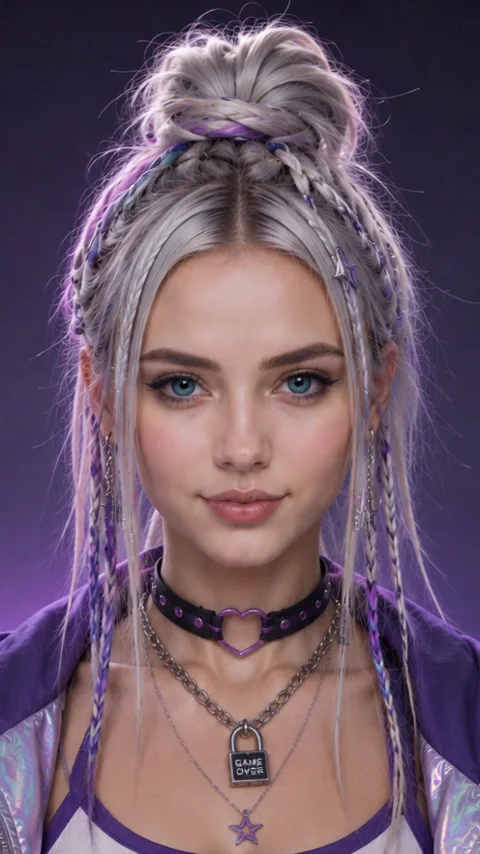 Front
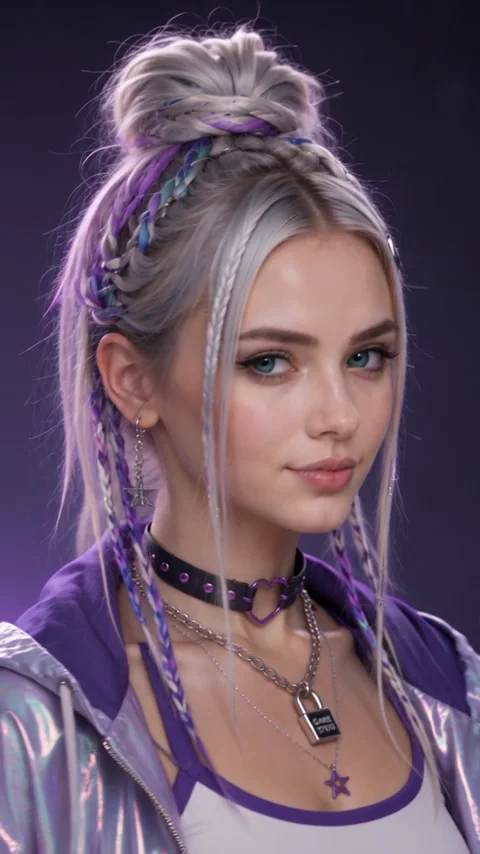 Three-quarter
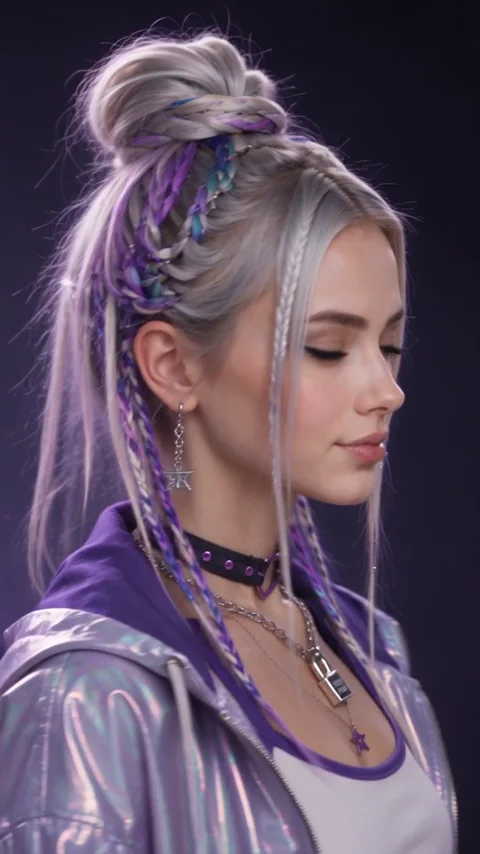 Profile
Steps
- In Claude, open Settings, then Connectors. Choose Add custom connector, paste https://vercanto.com/mcp, click Connect and sign in to Vercanto.
- Ask Claude for a portrait of the character, or give it your own picture. Agree on the look first.
- Ask Claude to save it as a Character: a name, the reference image and the traits that must stay, such as face, hair and wardrobe.
- From then on, ask for the character by name. Claude passes the saved image to the image or video model as the reference.
- For video, describe the action and the shot. The model keeps the look of the reference.
Menu names change between app versions. Look for connectors, apps, integrations or MCP servers.
What to type
Save this portrait as a Character called Nova: silver braided hair, violet top, studio light. Then make a 5-second clip of Nova turning around slowly, 9:16.
Updated
Without an assistant: on the site
You can do the same without Claude: open the Seedance 2.5 Flash page on Vercanto. Its composer has a box for your request, slots for your files and the price of your settings; press Generate and the result is saved in your library.
Generating needs a Vercanto account with credits. The page asks you to sign up when you press Generate and keeps what you typed.
Good to know
- A Character can also carry a stock voice, so its voiceovers sound the same every time.
- More references help: add other angles or outfits to the Character.
- Characters belong to the workspace. Teammates and other assistants connected to the same account can use them.
Questions
Why does the face change between AI images?
Each generation starts from scratch. A reference image gives the model the face to keep; without one it invents a new face every time.
Which video models take a reference?
8 of them, among them Seedance 2.5 Flash. The feature page lists each one with its price.
Can the character be a real person?
Only yourself, or someone who agreed. A character can also be fully fictional: generate the portrait first, then save it.
What does a clip of the character cost?
115 credits ($1.15) for 5 seconds at 720p on Seedance 2.5 Flash. A still of the character costs 12 credits ($0.12) on Nano Banana 2.
Can the character keep the same voice too?
Yes. A Character can carry a stock voice, so every voiceover made for it sounds the same.
Can I do this without Claude?
Yes. Open the Seedance 2.5 Flash page on Vercanto, type your request, add your files if the job needs them and press Generate. The price of your settings shows before you press, and the result is saved in your library.
Who owns what I make, and can I use it?
You keep the rights you have in what you upload and what you generate, subject to the terms of the model providers. You give us the permissions needed to store and process it for you. We do not use your content to train AI models. Uploading media or passing it to the service (as a file, a link or an asset id) means you confirm that you own it or have the consent of everyone who appears or is heard in it; a false confirmation is a violation of these terms.
Can I use what I make?
This is what the terms say about what you upload and what you generate:
You keep the rights you have in what you upload and what you generate, subject to the terms of the model providers. You give us the permissions needed to store and process it for you. We do not use your content to train AI models. Uploading media or passing it to the service (as a file, a link or an asset id) means you confirm that you own it or have the consent of everyone who appears or is heard in it; a false confirmation is a violation of these terms.