





How to make a vertical 9:16 video
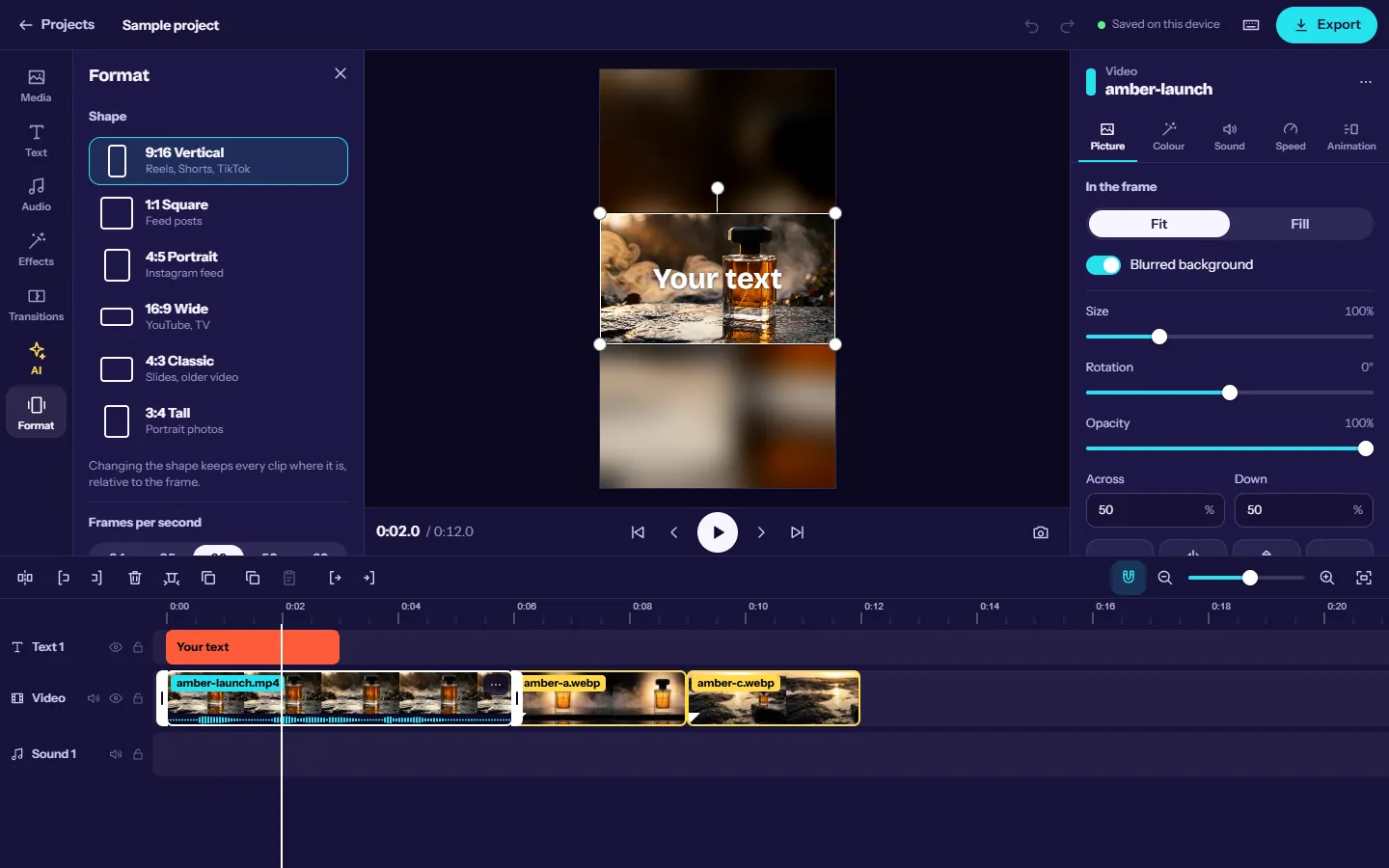
In the editor, open Format and choose 9:16. A wide clip then sits in the middle with empty space above and below: fill it with a blurred copy of the picture (Blurred background) or let the picture fill the frame (Fill).
Free in the editor
Open the editor
Free, in your browser: no account, no watermark, no subscription required. Your files stay on your device unless you choose a paid AI action.
Steps
- Open your video and choose Format, then 9:16 (Vertical).
- Select the clip. In the Edit panel (Picture), choose Fill to cover the frame, or keep Fit and switch on Blurred background.
- Drag the picture on the preview to choose which part shows; pinch or drag a corner to resize it.
- Export at 1080p for a 1080 × 1920 file.
Updated on .