





How to speed up or slow down a video
Select the clip and open its Speed tab, then choose a speed from 0.25× to 4× or drag the slider. The clip gets shorter or longer, and what follows on its track moves with it. The pitch of its sound follows the speed.
Free in the editor
Open the editor
Free, in your browser: no account, no watermark, no subscription required. Your files stay on your device unless you choose a paid AI action.
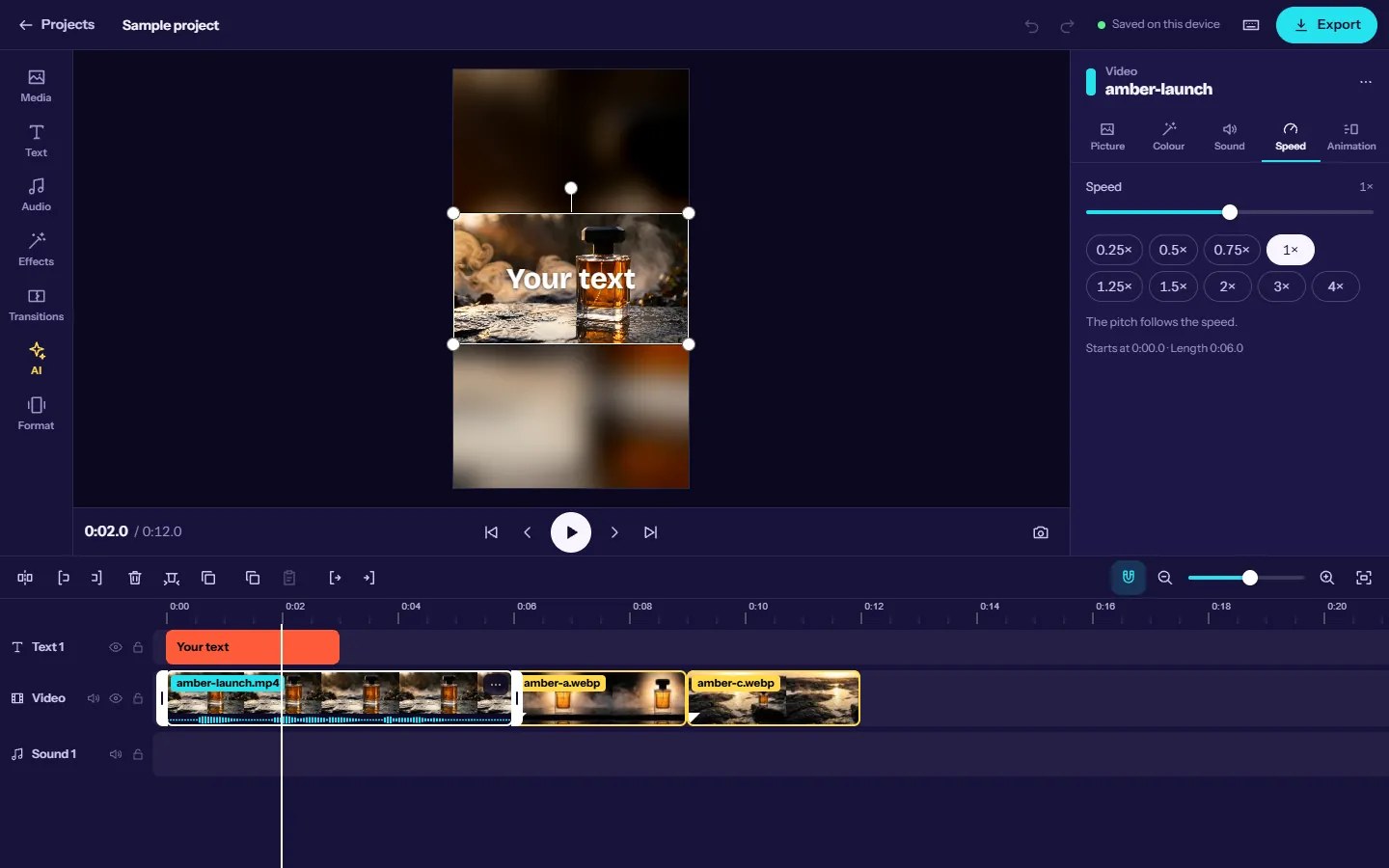
Steps
- Select the clip (split it first if only part of it should change speed).
- Open Speed in the Edit panel (on a phone, tap Speed in the bar below).
- Choose a speed, or drag the slider.
- Play it back and export.
Updated on .