





How to make a video clip from a description
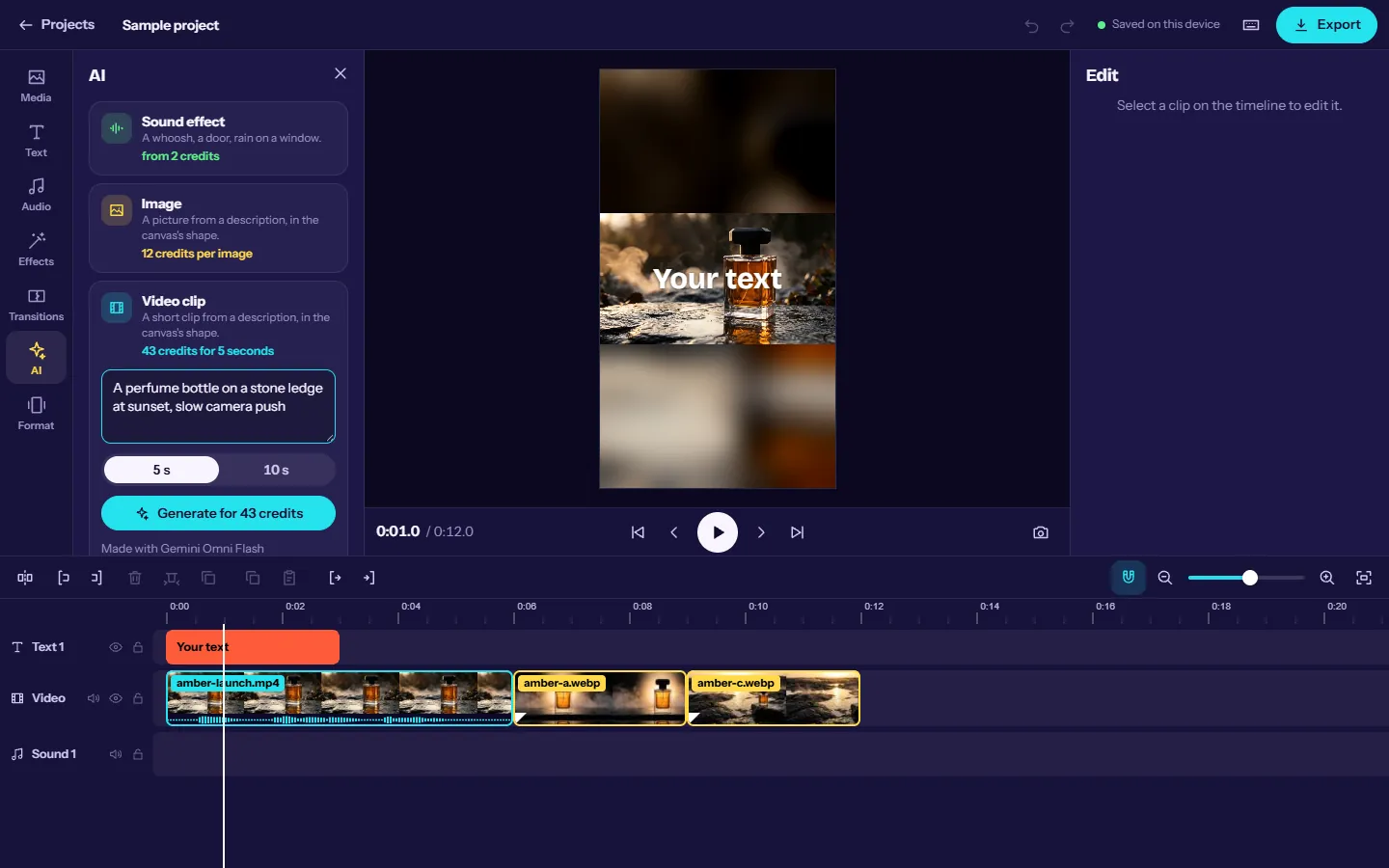
Open AI, choose "Video clip", describe the shot, choose its length and press the button. The clip is made in your canvas's shape and lands on the main track at the playhead. It uses credits: the card shows the price, and the exact price is on the button before you press it.
Uses credits
Open the editor
Free, in your browser: no account, no watermark, no subscription required. Your files stay on your device unless you choose a paid AI action.
Steps
- Sign in to Vercanto and set the canvas shape in Format.
- Open AI, then "Video clip". Describe the shot like a director: subject, action, camera, light.
- Choose 5 or 10 seconds, check the price on the button, and press it.
- Keep editing while it is made; the card shows how long it has been running.
Updated on .