





How to add text to a video online
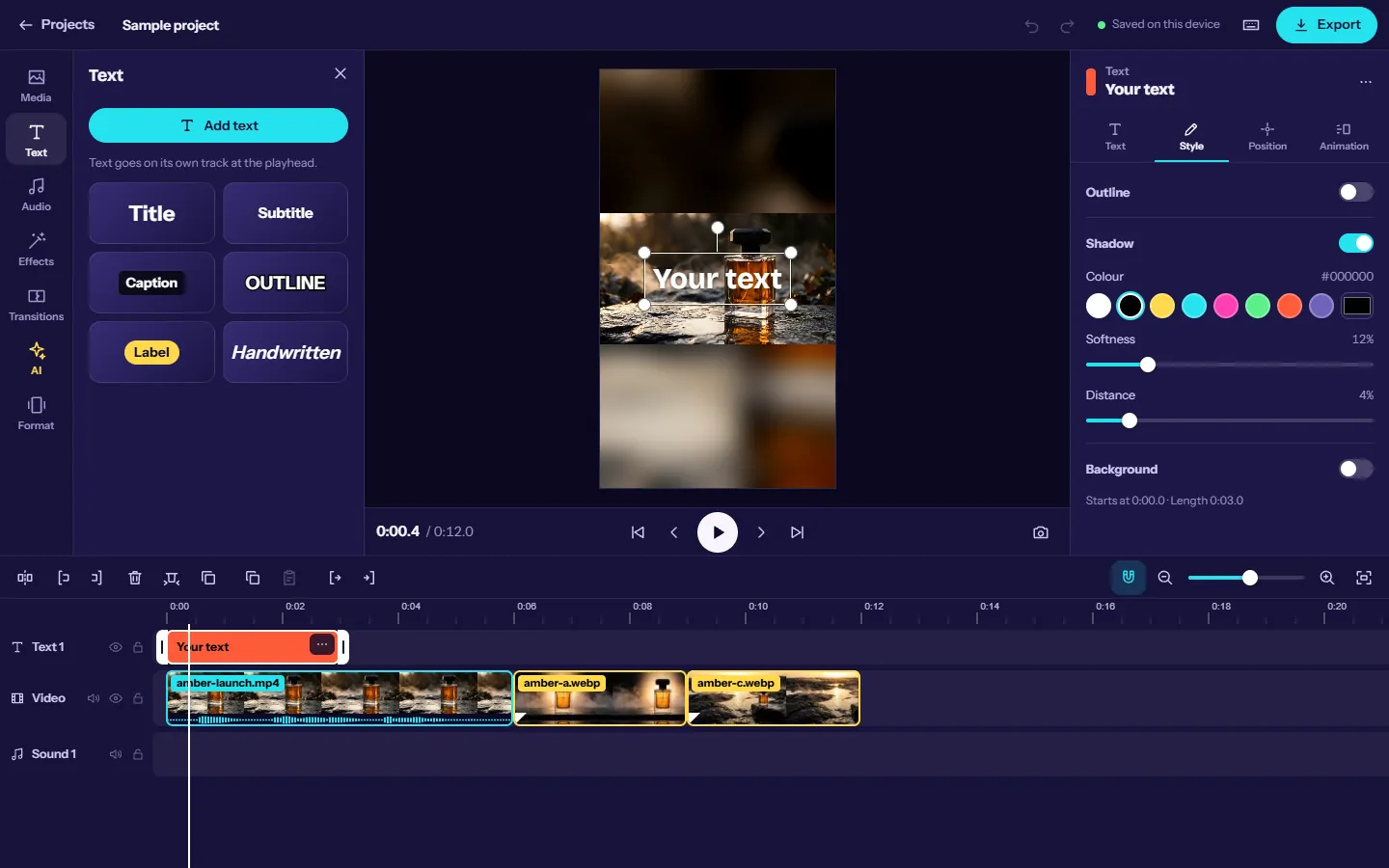
Open Text and press "Add text", or pick a style. The text appears at the playhead on its own track; type your words in the Edit panel, then style it with 16 fonts, an outline, a shadow or a background box.
Free in the editor
Open the editor
Free, in your browser: no account, no watermark, no subscription required. Your files stay on your device unless you choose a paid AI action.
Steps
- Move the playhead to where the text should appear.
- Open Text and choose "Add text" or a style (title, subtitle, caption, outline, label, handwritten).
- Type your words in the Edit panel's Text tab.
- Style it in the Style tab; move, resize and rotate it on the picture.
- In Animation, choose how it comes on and goes off. Drag its ends on the timeline to set how long it shows.
Updated on .