





How to add music to a video online
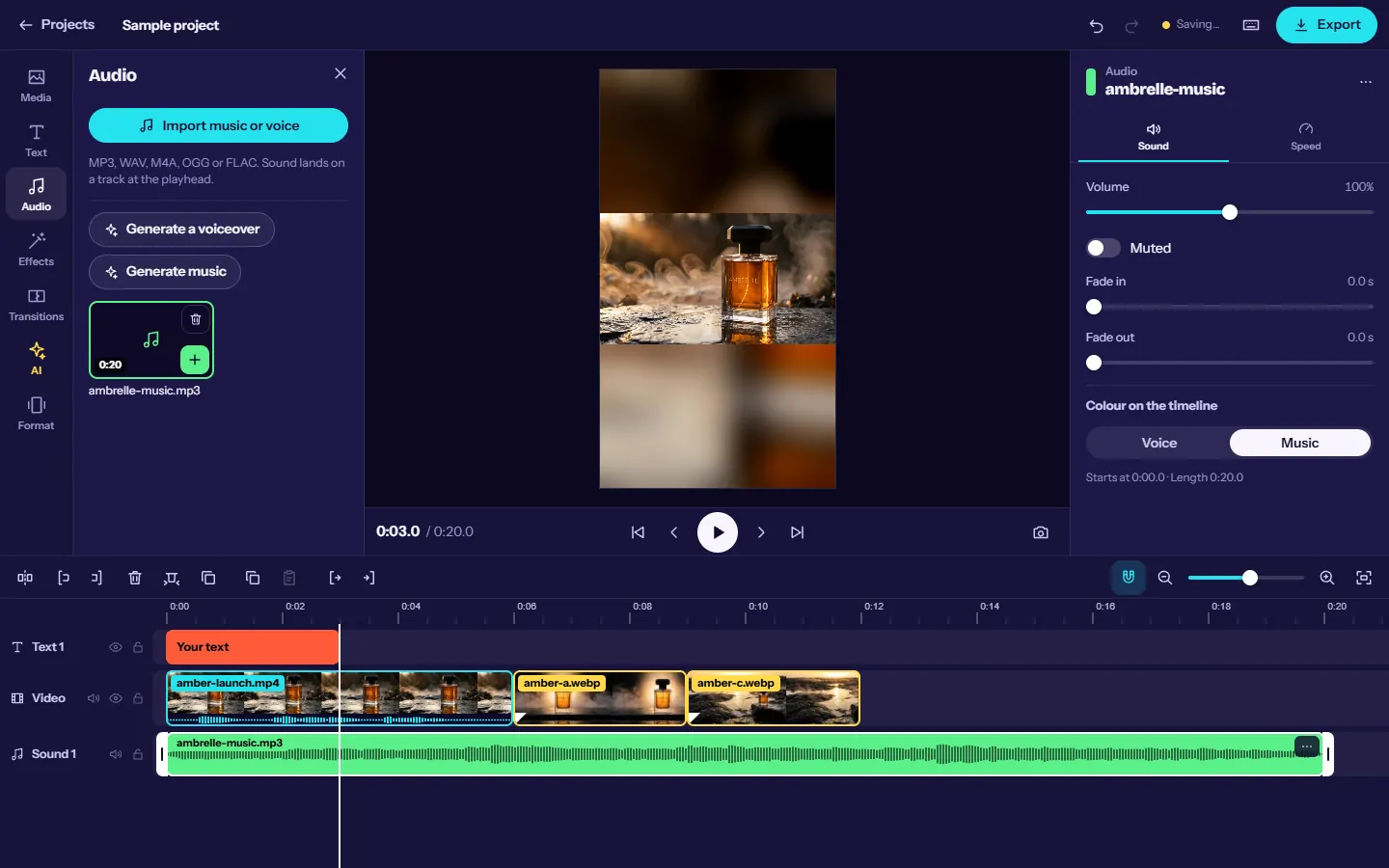
Open Audio and import your music, or drop the file on the editor. It goes on a sound track under the picture, at the playhead. Select it to set its volume and fade it in and out, then export one file with both.
Free in the editor
Open the editor
Free, in your browser: no account, no watermark, no subscription required. Your files stay on your device unless you choose a paid AI action.
Steps
- Open your video in the editor.
- Open Audio and choose "Import music or voice" (MP3, WAV, M4A, OGG or FLAC).
- Drag the music clip to where it should start; trim its end to the video's end.
- Select it and set Volume, Fade in and Fade out. Lower the video's own sound if needed (select the video, Sound tab).
- Export.
Good to know
No music of your own? The AI tool can make a track for you; it uses credits (see the guide on AI music).
Updated on .